Four apps built around different moments
All four turn up when people search for meeting transcription or private speech-to-text. They were built for different moments in a working day, and that matters more than any feature list.
MacWhisper, made by Jordi Bruin and Good Snooze in the Netherlands, is built around the transcript itself. Drag in an interview, a lecture, or a YouTube link and you get accurate text in more than 100 languages. It also records Zoom and Teams calls in the background with no bot joining the meeting. From there you get an editor, search, subtitles, and a long list of exports. The free version handles basic transcription, and a one-time Pro license (€64 at the time of writing) adds speaker recognition, meeting recording, batch jobs, and more export formats.
Superwhisper is built around the moment you would otherwise type. Press a key, speak, and the text lands in whatever app has focus. An AI "mode" can reshape it into an email or a message first. According to its pricing page, one Pro license covers Mac, Windows, iPhone, and Android, at $8.49 a month, $84.99 a year, or $249.99 for lifetime access.
Otter is built around the meeting itself, and it runs in the cloud. Its notetaker joins Zoom, Microsoft Teams, and Google Meet calls, writes a live transcript with speaker names, and produces a summary with action items. AI Chat can then answer questions within and across past meetings. It works on the web, Mac, Windows, iPhone, and Android. According to its pricing page, the free Basic plan includes 300 transcription minutes a month with a 30-minute cap per conversation, and Pro costs $16.99 a month, or $8.33 a month billed annually.
On Device AI is built around what happens after the recording. Voice Note is one part of a private workspace on Apple devices, and the transcript flows straight into AI Chat and Knowledge Libraries on the same device. We have less transcription-specific polish than MacWhisper and less dictation polish than Superwhisper. What we have is a place for the text to go.
Where MacWhisper is better
A comparison that only flatters its author isn't worth much, so we'll start here.
- It records online meetings. MacWhisper detects calls in Zoom, Teams, Webex, Skype, Chime, and Discord and captures app audio. On Device AI records from the microphone today, so a call recorded somewhere else has to be imported, which is a Pro feature. Direct call capture is planned.
- It exports to more formats: TXT, SRT, VTT, Markdown, PDF, HTML, and DOCX. We export plain text, Markdown, and SRT.
- It has the power-user plumbing: batch transcription, watched folders, YouTube links, a command-line interface, and uploads to Notion, Obsidian, Zapier, or a custom webhook.
- You pay once. Some people simply don't want another subscription, and we understand that.
If you transcribe for a living and already keep notes somewhere you trust, MacWhisper is hard to beat.
Where Superwhisper is better
- Dictation is the whole product. Modes, custom vocabulary, text replacements, and context awareness all serve one goal, which is typing less. On Device AI has Voice Typing on Mac with rewrite profiles, and an iOS keyboard that hands recording to the main app. It works well. It is also one feature among many, and Superwhisper has spent years on nothing else.
- It runs on Windows and Android. On Device AI is Apple-only.
If you need one dictation license across Windows, Android, and Apple devices, Superwhisper is built for exactly that.
Where Otter is better
- It joins the meeting for you. The notetaker can sit in Zoom, Teams, and Google Meet calls, several at once on paid plans, so nobody has to remember to press record.
- It's built for teams, with shared channels, comments, highlights, a takeaways panel, and sync to Salesforce, HubSpot, and Zapier.
- It already answers questions across meetings. AI Chat within and across meetings is on every plan, including the free one, which allows 20 queries a month.
- Speaker identification is included on the free plan.
The trade-off is where the work happens. Everything above runs on Otter's servers under an account. Otter's privacy policy says it trains its AI on de-identified audio recordings and on transcriptions, and its Privacy & Security page describes that de-identification as automatic. For a team standup, that may be fine. For a call with a patient, a client under NDA, or a source, it's a different question. On Device AI was built for that second kind of call: the recording, the transcript, and the answer stay on your iPhone, iPad, or Mac.
What happens three weeks later
Here is the workflow we built On Device AI for. Say you have a 40-minute client call recorded on an iPhone.
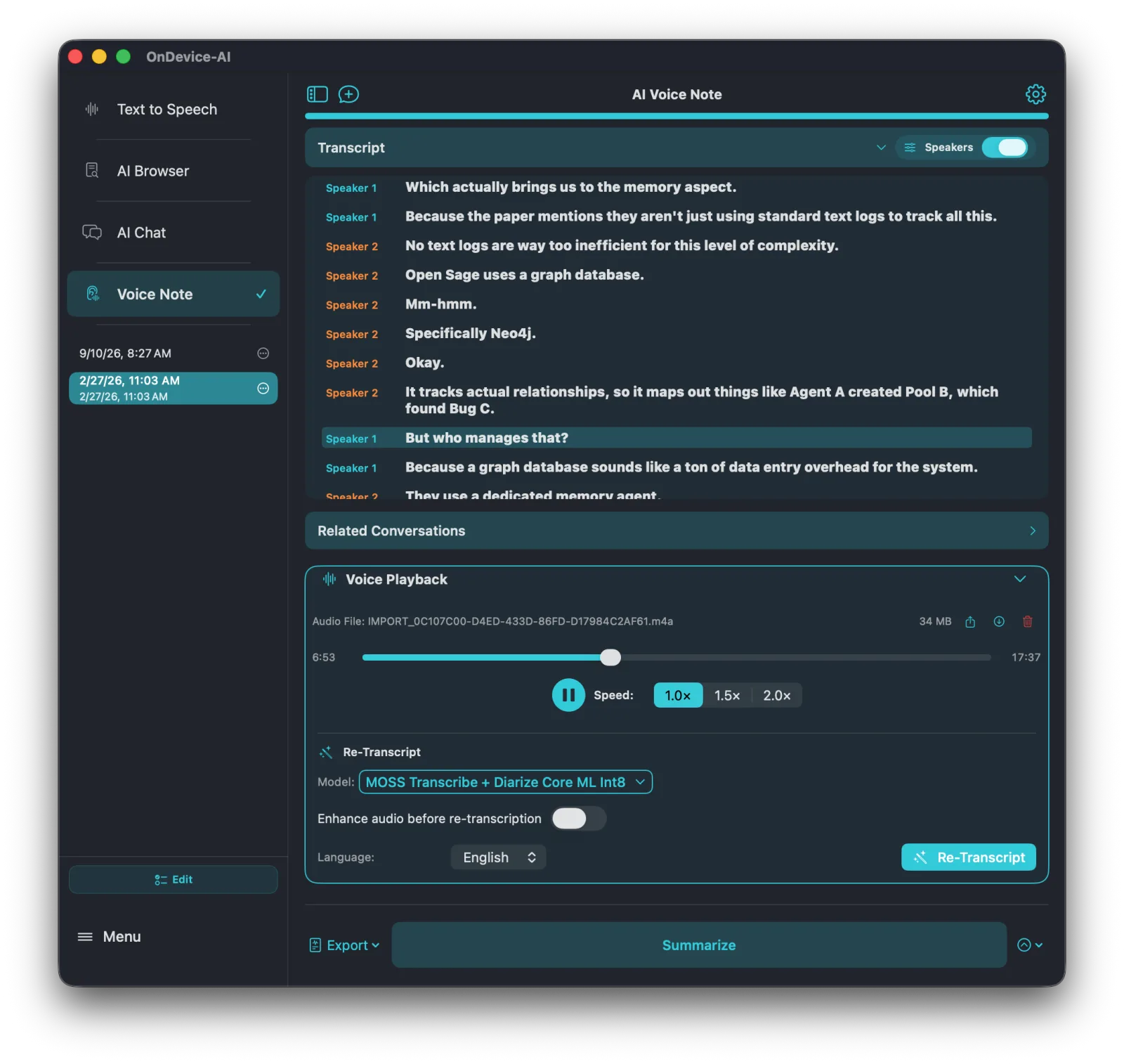
- Record it in Voice Note on iPhone, iPad, or Mac. Some models show text while people talk, and others transcribe after you stop. On iOS, recording continues in the background.
- Turn on speaker labels (Pro) and rename Speaker 1 and Speaker 2 to real names. On a supported iPad or Apple silicon Mac, MOSS Transcribe + Diarize produces English transcripts with speaker turns in a single pass.
- Ask for a summary, action items, a translation, or run your own prompt. This runs on a local chat model, and the app ships with a built-in one, so it works before you download anything. Speaker names go into the prompt, so the summary can say who pushed back on the timeline.
- Add the transcript to a Knowledge Library. It becomes an editable Markdown document that records which Voice Note it came from and when. The audio stays in Voice Note, and if you import the same note again, the app asks whether to replace it, keep both, or skip.
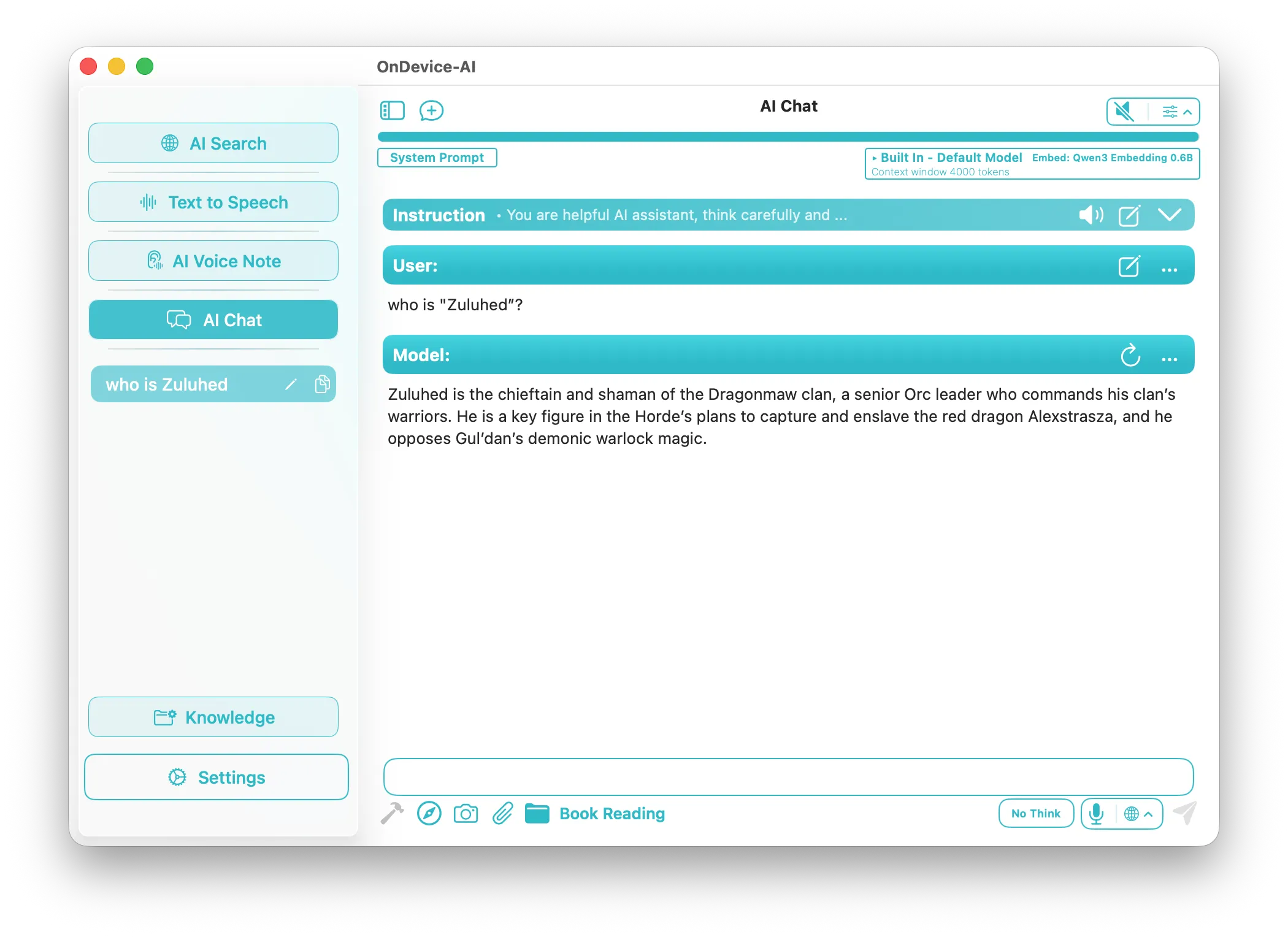
- Weeks later, open AI Chat, attach that library, and ask "What did we agree about the pricing tiers?" The app searches the library, where call transcripts sit next to contracts, web pages, and notes, and answers with a local model. The search index is built on the device too.
MacWhisper covers step three well, with summaries and chat through your own API key or a local server such as Ollama or LM Studio. Steps four and five happen wherever you export to. If you live in Obsidian, that's a great answer. If you don't have a system, the transcript usually ends up as a file in Downloads, and that gap is what we built for.
Otter covers steps three and five too, and it has offered chat across meetings for longer than we have. The difference is where it happens. Otter answers from its servers, within a monthly query allowance. In On Device AI, the question, the transcripts, and the answer stay on the device, there's no query limit, and a library can mix call transcripts with your own PDFs, web pages, and notes.
One caveat. Small on-device models do get things wrong, and a retrieved passage can be close to the answer without being the answer. Keep the audio. When something matters, play back the moment and check it.
Side by side
| Feature | MacWhisper | Superwhisper | Otter | On Device AI |
|---|---|---|---|---|
| Built for | Transcribing files and meetings on a Mac | Dictating into any app | Cloud meeting notes for teams | Turning recordings into notes you can search later |
| Platforms | Mac; the iPhone and iPad version ships separately as Whisper Transcription | Mac, Windows, iPhone, Android | Web, Mac, Windows, iPhone, Android, Chrome extension | iPhone, iPad, Mac, Apple Vision Pro in one app |
| Local transcription | Yes | Yes; local Whisper is free, faster local models are Pro | No; transcription runs in Otter's cloud | Yes; start with a free Whisper or Parakeet model, with MOSS and larger models in Pro |
| Works offline | Yes, with local models | Yes, with local models | No | Yes, with local models |
| Speaker labels | Pro; local with WhisperKit models, or cloud through ElevenLabs or Deepgram | Pro | Included on the free plan, processed in the cloud | Pro; single-pass with MOSS (English) or a separate local diarization model |
| System-wide dictation | Yes, in the direct-download version | Yes, the core feature | No | Mac Voice Typing; iOS keyboard with main-app handoff |
| AI summaries and questions | Built in, using your API key or Ollama and LM Studio | AI modes rewrite dictation; cloud models go through Superwhisper's proxy | Automatic summaries; AI Chat across meetings, 20 queries a month on the free plan | Built-in local model, no key or setup, no query limit |
| Where transcripts live afterward | Exported files, Notion, Obsidian, webhooks | The app you dictated into | Otter's cloud workspace, shared with your team | Knowledge Libraries on your device, searchable with local AI |
| Pricing (September 2026) | Free; Pro €64 one-time | Free; $8.49/month, $84.99/year, or $249.99 lifetime | Free (300 min/month); Pro $16.99/month, or $8.33/month billed annually | Free for most features; Pro $3.99/month, $34.99/year, or $49.99 lifetime* (regular $99.99) |
*The $49.99 lifetime price is a special early-supporter discount on the regular $99.99 lifetime price. On Device AI prices are for the US App Store and vary by region. Competitor details come from each company's own pages as of publication. Check them before you buy, because prices and tiers change.
Which one we'd pick for each job
For transcribing files, interviews, and Zoom calls on a Mac when you already have a notes system, pick MacWhisper.
For AI-rewritten dictation on Windows and Android as well as your Mac, pick Superwhisper.
For a team that wants a notetaker in every Zoom, Teams, and Google Meet call, with shared notes in the cloud, pick Otter.
For remembering what was said and using it later, on your phone as much as your Mac, pick On Device AI. Voice Typing covers everyday dictation on the Mac as part of the same app.
Bring the transcripts you already have
You don't have to start from zero. If you have transcripts from MacWhisper, Otter, or any other app, export them as Markdown or plain text and add them to a Knowledge Library. On Device AI reads .md and .txt files directly, and it can also import Obsidian vaults and Notion exports, so old calls become searchable next to the contracts and notes for the same project.
The free tier holds five documents, which is enough to find out whether the questions you ask later get useful answers.
What's free in On Device AI, and what Pro adds
People often assume the useful parts sit behind a subscription. Here is what the free version covers today.
- Summaries and chat with the built-in local model. There is no message quota.
- One Knowledge Library with up to five documents. That's enough to try the whole loop above.
- Voice Typing, the dictation feature on Mac, with the free models and a generous free allowance that resets every month.
Pro adds speaker labels, audio import, re-transcription, the larger speech models, and unlimited libraries and documents. It costs $3.99 a month or $34.99 a year, or you can pay once: $49.99 for lifetime access, a special early-supporter discount on the regular $99.99 price. None of it needs an account, and the App Store privacy label reads "Data Not Collected."
Once the app is installed, the quickest test takes about five minutes:
- Record a two-minute voice memo in Voice Note. Reading a paragraph aloud works fine.
- Choose Summarize.
- Add the note to a Knowledge Library.
- Open AI Chat, attach the library, and ask about something you said.
That's the whole idea at a small scale.
Frequently asked questions
Is On Device AI a good MacWhisper alternative?
It depends on the job. If you mainly transcribe files, lectures, and online meetings on a Mac and export the results elsewhere, MacWhisper is the more complete transcription tool. If you want recordings to become summaries and searchable notes inside one private app on iPhone, iPad, and Mac, On Device AI covers that whole path with local models.
Can On Device AI record Zoom or Teams calls?
Not yet. Today it records from the microphone, and capturing call audio directly is planned for a future update. Until then, you can import a call recording made elsewhere (Pro), or add an exported transcript to a Knowledge Library as a text or Markdown file.
How is On Device AI different from Otter.ai?
Otter is a cloud service. Its notetaker joins Zoom, Teams, and Google Meet, and transcription, summaries, and AI Chat across meetings run on Otter's servers under an account. On Device AI records and transcribes on your iPhone, iPad, or Mac, summarizes with a local model, and answers questions from a Knowledge Library on the device, with no account. Otter is stronger for team meeting capture and sharing. On Device AI is built for recordings that shouldn't leave your device.
Which of these apps work offline?
MacWhisper, Superwhisper, and On Device AI can transcribe offline with local models once they're downloaded. Otter transcribes in its cloud, so it needs a connection. In On Device AI, optional cloud providers are off by default and need your own API key.
Can I use MacWhisper or Otter transcripts in On Device AI?
Yes. Export as .txt or .md and add the file to a Knowledge Library. Otter exports .txt on every plan. The file is indexed on the device and available to AI Chat.
Are speaker labels free?
Otter includes speaker identification on its free plan, processed in its cloud. Among the apps that label speakers locally, it's a paid feature in all three: MacWhisper Pro, Superwhisper Pro, and On Device AI Pro.