
The uncomfortable truth about cloud AI chats
Think about the last five things you typed into an AI chat window. Maybe it was an honest draft about a hard week at work, a contract paragraph you needed explained, a rough journal entry, or a personal question you were embarrassed to ask a friend. People open up to AI in a way they rarely do with a search engine.
Most users assume those conversations stay between them and a polite privacy policy. Then real life happens to the company running the server.
In late 2026, Character.AI's Chapter 11 bankruptcy in Delaware brought that risk into plain view. Forty-two state attorneys general filed an objection after the proposed platform sale included private chat logs, IP addresses, and account details covering more than 21 million U.S. accounts (including over 2.1 million registered to minors), with no binding requirement for a buyer to keep earlier privacy promises or honor deletion requests.
Even if a judge blocks or restricts that transfer, the underlying trap does not go away. Standard cloud privacy policies tell you the company will not sell your data while leaving a merger or "sale of company assets" exception near the bottom. Under federal bankruptcy law, a court can weigh transferring customer databases when a business is sold. You do not even need a bad actor for your private chats to change hands. You just need a startup whose GPU bill outgrows its revenue.
Our rule in On Device AI: never build the server in the first place
When we started building On Device AI, we did not want to ask users to trust a prettier privacy policy. Policies are paper. We wanted privacy you can verify on your own phone in thirty seconds.
So we inverted the usual cloud architecture. Instead of sending your thoughts to a datacenter and promising not to peek, we put the AI runtime inside the app on your iPhone, iPad, Mac, and Apple Vision Pro.
Here is what that means the moment you open the app:
- You never create an account. No email address, no phone number, no password, and no login wall.
- There is zero analytics and zero telemetry. We do not bundle third-party tracking SDKs, and we cannot see which models you load, what prompts you send, or how often you open the app. Our App Store nutrition label reads Data Not Collected, which we break down in our zero-data architecture note.
- The model runs on your own chip. A compact 1.7B model comes bundled inside the app so you can start right away, and our catalog holds 200+ local models across GGUF (via llama.cpp) and Apple MLX, plus free custom GGUF imports.
- Your chats stay in your device's local storage. Your own iCloud Backup on iPhone and iPad or Time Machine on Mac covers your files under your own Apple account or drive, never a database we own.
Try the 30-second proof yourself
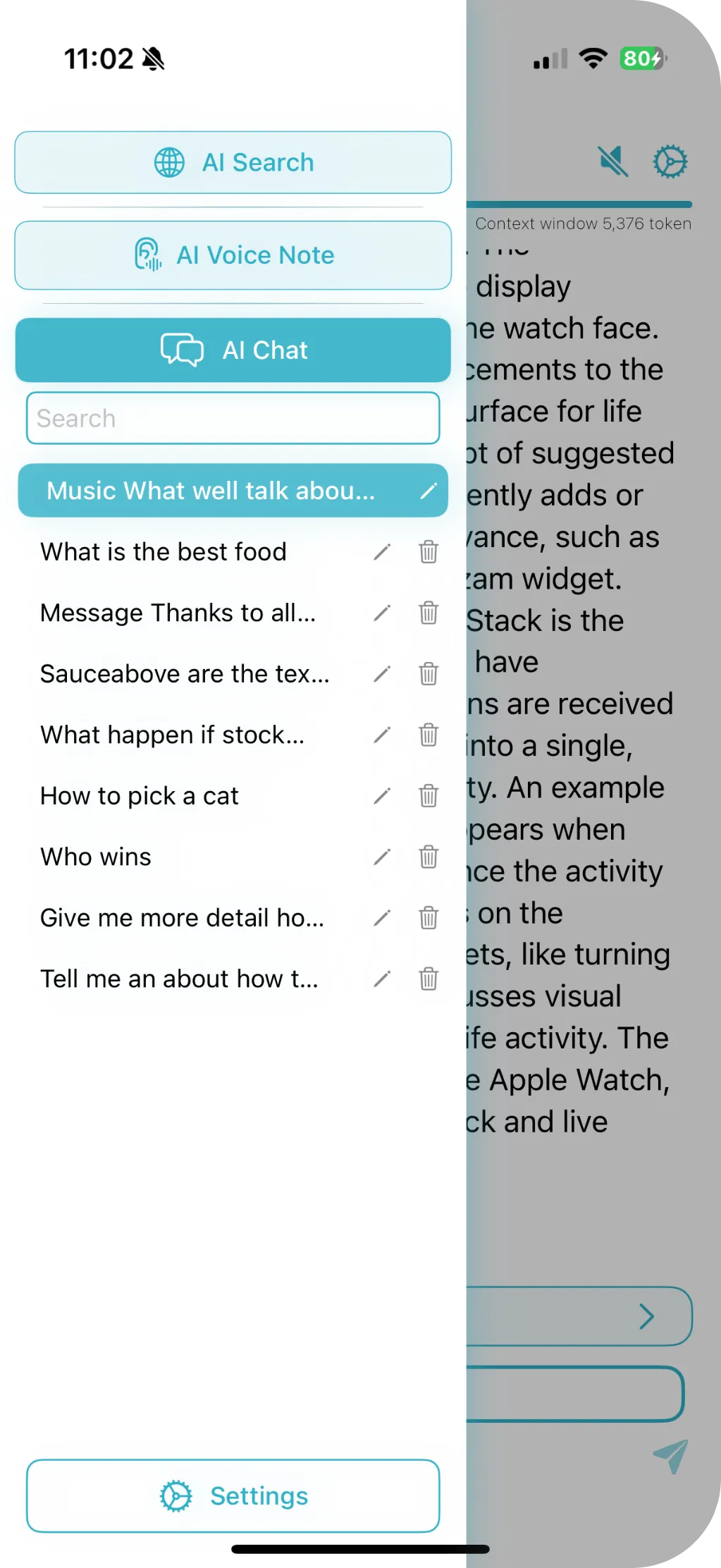
You should not have to take any developer's word on privacy. Install On Device AI free from the App Store, flip your iPhone into Airplane Mode (or switch off Wi-Fi on your Mac), and ask the built-in model to rewrite an email or brainstorm an outline. Watch the words stream onto your screen with zero signal bars. No company can leak, mine, or auction a message that never left your hardware.
What changes when nothing sits on a vendor server
Put a cloud AI chat app next to a local app and look at what happens when things go wrong:
| Real-world scenario | Saved on a company server | Saved only on your device (On Device AI) |
|---|---|---|
| The company is acquired or files for bankruptcy | User accounts and chat logs can become part of the asset sale. | There is no user database on our servers to sell or hand over. |
| The privacy policy changes next year | New terms can cover years of past chats still sitting in cloud storage. | A policy rewrite cannot retroactively reach files stored only on your phone or Mac. |
| A server breach exposes customer logs | Your prompts, IP address, and account metadata are at risk. | We run no chat-history server to breach. |
| The maker shuts down | The app stops working and you scramble to export before shutdown. | The app keeps opening, downloaded models keep answering offline, and your files remain on your device. |
| You want to leave and take your history | Request an archive and hope old backups are purged after deletion. | Export any chat as plain Markdown (.md) for free straight from the conversation menu. |
Apply the hardest test to us, too. On Device AI is built by a small team. If we closed our doors five years from now, we could not sell your chat history even if someone offered a check for it, because we never had a copy. And because the app runs local files on your hardware, your downloaded models would keep working on your Mac or iPhone anyway.
Private Assistants, voice, notes, and files in one place
Most people who worry about cloud chat privacy do not stop at plain text chat. They talk out loud, keep private notes, and drop personal PDFs into AI tools. Keeping all of that under one local roof matters just as much as the chat box.
Build your own Assistants without a cloud account
In On Device AI, Assistants let you save reusable instructions, pick a preferred local model, and decide which tools an Assistant may touch (including starting with no tools at all). You get unlimited plain Assistants on the free tier. Adults who want a sharp writing editor, a patient language tutor, an interview coach, or a private sounding board for rough ideas can keep every prompt and reply on their own device. When a job needs more than one specialist, you can combine experts into a Team (one free Team with up to two experts) or wire multi-step Chat Flows locally.
Talk naturally with Voice Conversation and Voice Notes
Tap the microphone in AI Chat to start a hands-free spoken back-and-forth with any local model; speech recognition runs on the device for supported languages. For meetings, interviews, or late-night voice memos, Voice Notes records and transcribes on your hardware so you never upload another person's voice to a remote server (speaker labels and re-transcription are Pro).
Ask questions over private notes and PDFs
Jot down sensitive drafts in Text Notes, or drop PDFs and Markdown files into a local Knowledge Library (one library with up to five documents is free; Pro removes the caps). The search index builds on your device, so your model reads your documents without uploading a single page.
Listen offline and export anytime
Have articles, notes, or replies read aloud in Text-to-Speech and Listen Library using unlimited built-in Apple voices, a free monthly Kokoro neural voice allowance, or Pro neural models and on-device voice cloning. Whenever you want to move work elsewhere, AI Chat conversations export as plain Markdown (.md) for free, and Voice Notes export both the transcript and the original audio file. You can read every detail, including current gaps, in our full export inventory.
Cloud stays optional, never the default
If you ever need a giant hosted model for a single tough coding or research thread, Cloud Providers lets you plug in your own API key (stored in Apple's Keychain). Cloud stays off by default, and using it for one chat never pushes the rest of your local workspace online.
Honest trade-offs before you switch
Local AI is not magic, and pretending it beats every datacenter model on every task does nobody any favors.
On an iPhone, compact 1.7B to 4B models are great at rewriting drafts, summarizing pasted text, private journaling, and answering questions from an attached PDF. They still lose to frontier cloud models on obscure closed-book trivia or sprawling multi-file code refactors (we broke down those exact limits in our 3B iPhone guide). Stepping up to an Apple silicon Mac lets you run much larger local models, and optional cloud API keys cover the occasional heavy job when the text is not confidential.
We should also be upfront about what On Device AI is built for. It is a private adult workspace for everyday Assistants, voice, notes, and documents. It does not include a public directory of fan-made fictional characters, character-card imports, keyword lorebooks, or swipe-based story replies. If your main focus is community-driven fiction roleplay, On Device AI is not trying to replace that.
Fact-check sources on the Character.AI case
If you want to read the primary filings and official statements behind the Character.AI bankruptcy news yourself, start here:
- Stretto Delaware bankruptcy case portal (In re Character Technologies, Inc., Case No. 26-11603, U.S. Bankruptcy Court for the District of Delaware)
- California Department of Justice press release (November 24, 2026)
- Maryland Office of the Attorney General press release (November 24, 2026)
- Connecticut Office of the Attorney General press release (November 24, 2026)
- 11 U.S.C. § 363(b)(1) (U.S. Bankruptcy Code rules for selling personally identifiable information)
Frequently asked questions
Where does On Device AI store my chats, Assistants, and notes?
Inside the app's local storage on your own iPhone, iPad, Mac, or Apple Vision Pro. On Device AI does not run a remote database for user accounts or conversation history, and its App Store privacy label reads Data Not Collected.
How can I verify that On Device AI is not sending my chats to a server?
Install the app, switch your iPhone or iPad to Airplane Mode (or turn off Wi-Fi on your Mac), and send a message using the built-in 1.7B model or any downloaded local model. It responds offline with zero network traffic.
What happens to my conversations if the company behind On Device AI shuts down or gets sold?
Nothing happens to your local data. Because we do not collect accounts, IP addresses, or chat logs on a company server, there is no user database to transfer or sell. Your downloaded GGUF and MLX models keep running offline on your device, and you can export chats as plain Markdown anytime.
Can I build custom AI Assistants offline in On Device AI?
Yes. You can create unlimited plain Assistants on the free tier with custom instructions, a preferred local model, and tool controls (including starting with no tools), then chat by text or hands-free Voice Conversation.
What if I want to use a cloud model like ChatGPT or Claude for one hard task?
Optional cloud providers are off by default. If you choose to add your own API key in Settings > Cloud Providers, it stays in Apple's Keychain and only that chosen conversation talks directly to your provider, while the rest of your workspace stays local.
Is On Device AI a drop-in replacement for Character.AI fictional roleplay?
It fits adult everyday Assistants, private brainstorming, writing feedback, language practice, and voice chat. It does not offer a public directory of fictional character cards, lorebooks, or swipe-based story roleplay.