
Voice Output

Local AI Text-to-Speech and Voice Workflows

Synthesize natural, human-like speech from your PDFs, research papers, custom articles, or AI responses completely offline. Ensure your spoken text stays private.

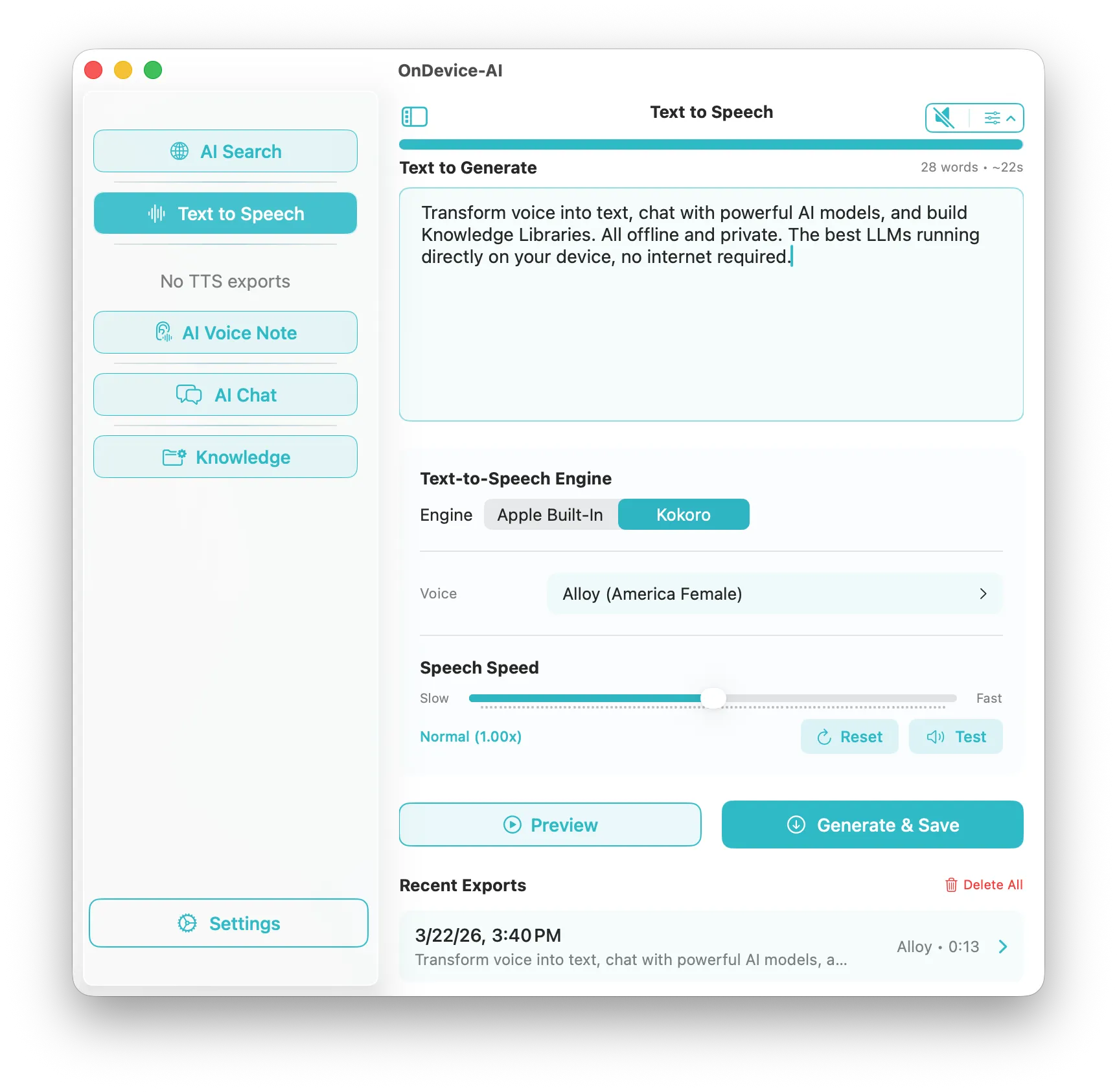
Text to Speech configuration controls on macOS
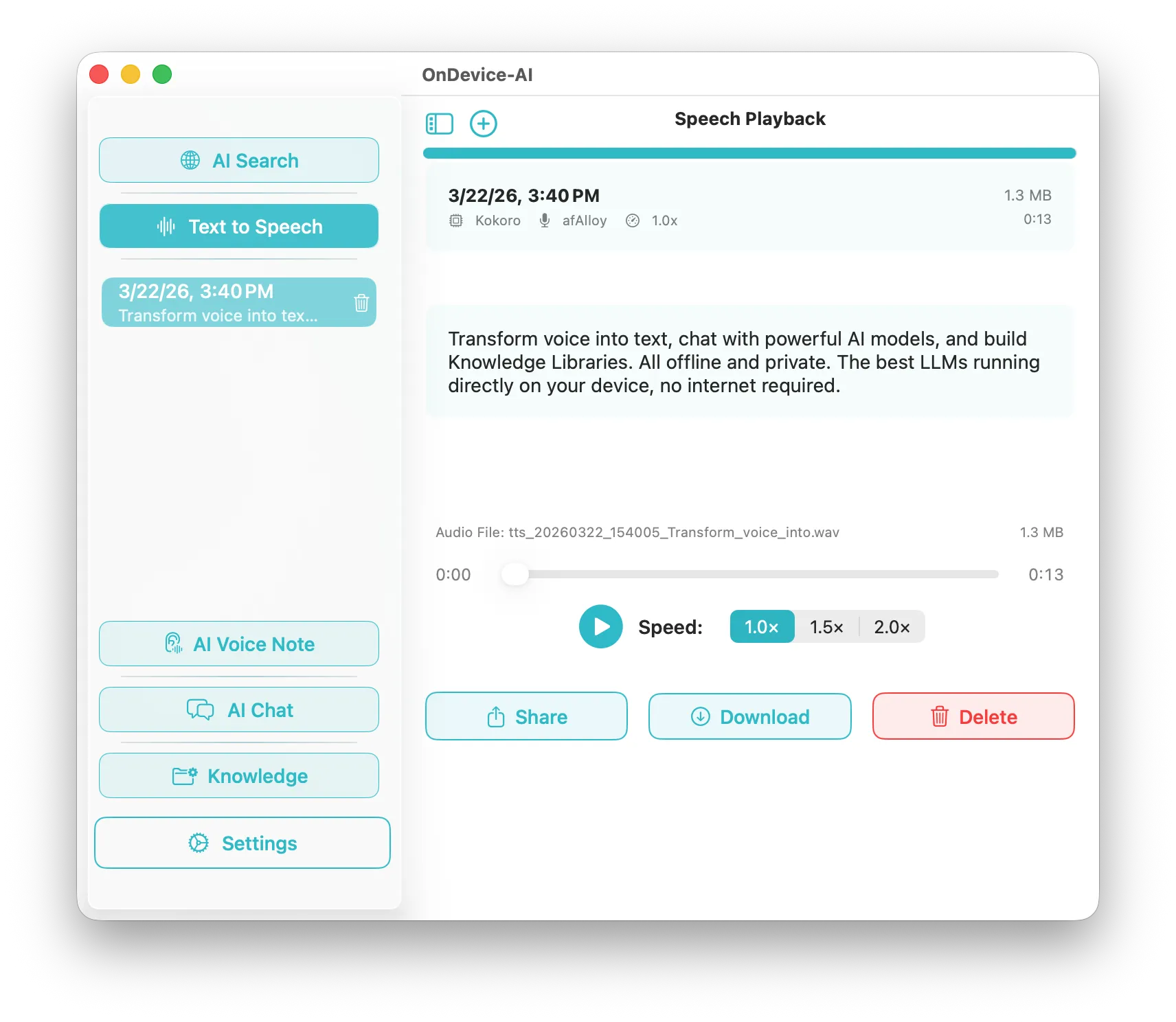
Text to Speech history and file generation archive

1. Choose Your Speech Engine

On Device AI supports multiple speech synthesis engines to give you broad flexibility: choose between Apple's native system voices (directly utilizing macOS and iOS system resources) or compile highly premium neural voice models using the built-in Kokoro TTS and PocketTTS engines.

2. High-Fidelity Kokoro Neural Voices

The Kokoro TTS engine represents a breakthrough in open-source offline speech quality, producing natural, expressive voice patterns with human-like breathing and pacing. Select from multiple professional voice profiles (male, female, narrative, academic) optimized to run directly on the neural processor of your device.

3. Create Audiobooks and Export Audio

Turn any PDF, lengthy document, saved article, or chat transcript into local audiobooks. Simply click play to listen to your text immediately, or export the processed speech into clean MP3 or WAV files locally. Ideal for offloading study materials or drafting podcast outlines.

4. Absolute Privacy for Sensitive Documents

Since standard cloud-based text-to-speech services require sending your raw text to remote servers, using them on sensitive commercial plans, corporate contracts, or medical records presents significant privacy risks. On Device AI processes speech generation exclusively in-memory on your machine, ensuring your data never leaves your hardware.

Download On Device AI Read Speech Docs →