1. Immerse Yourself in a Spatial AI Workspace
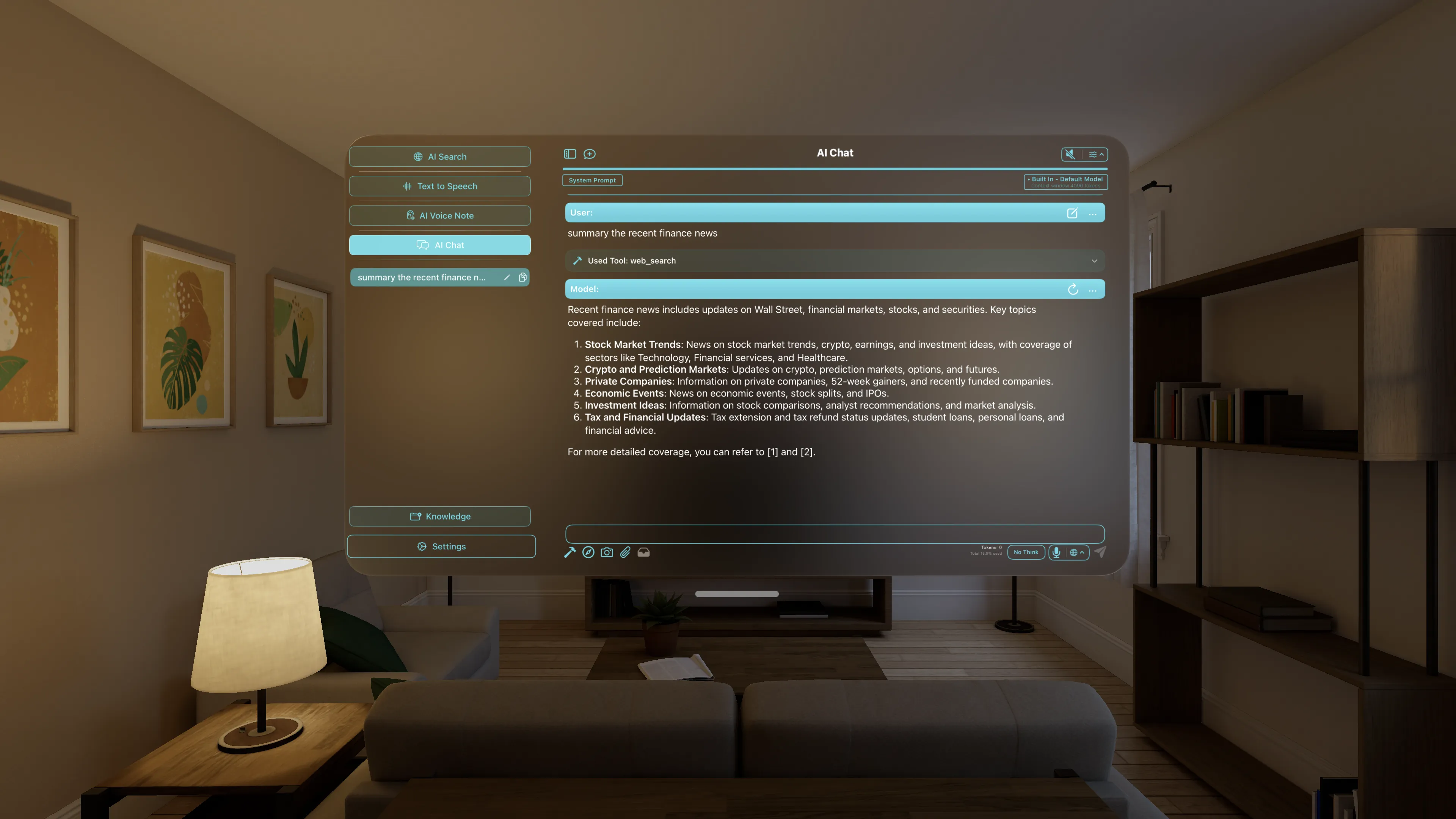
On Device AI on visionOS allows you to break free from single flat screens. Open multiple spatial windows: pin a local AI Chat session next to your browser, place an interactive vector document viewer next to your note-taking space, and coordinate multiple agent flows concurrently in the space around you.
2. Spatial Web Search & Tool Calling
Run autonomous local agents in your spatial environment. Trigger tool-calling actions (like web search, directory reading, or calculators) to view formatted search results and citations floating natively in AR/VR windows.
3. Local Network Server Offloading
Executing massive language models inside a headset is constrained by physical thermal and battery limits. On Device AI solves this: you can configure an Apple Silicon Mac on your local network to act as an inference server. Your Vision Pro offloads the heavy LLM calculations securely over local Wi-Fi to your Mac, giving you lightning-fast inference, zero battery drag, and absolute offline privacy.
4. Secure spatial RAG with Knowledge Libraries
Import massive multi-page PDF collections, structural schematics, or saved web captures into a local Knowledge Library. Ground your spatial AI queries directly in your documents with 100% data safety, rendering responses clearly beside original source files.